iOS · Version 1.6.0
LoveClock
A dedicated space for couples
Set the day you became a couple, and about thirty seconds later there's a widget on your Home Screen counting every day since. No account needed.
Then it keeps going. Every anniversary has its own material, like paper, crystal, pearl, ruby or gold, and each one opens a new world of colour inside the app. Scroll, and this page walks the same ladder.
Pro is $0.99 / month or $24.99 once.
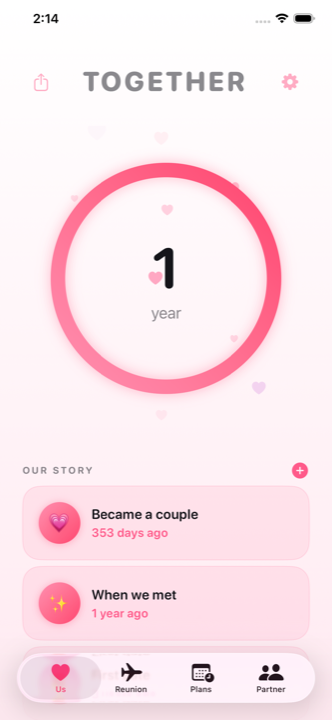
Try it A couple since 14 June 2019
This is what it does, all day, quietly.
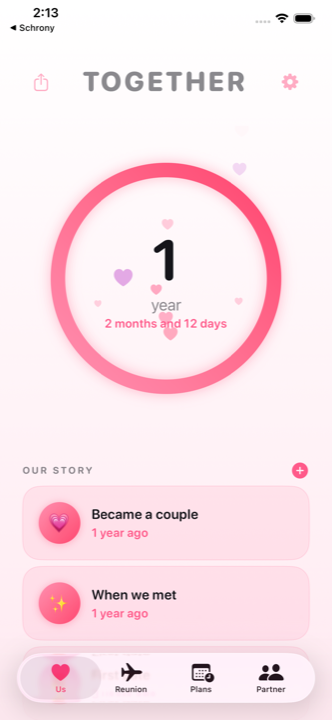
Tap a unit. The app does the same when you tap the counter. The ring fills toward the next anniversary.
Year 1 Paper
One timeline, and it never restarts.
The dating years don't disappear the day you get married. LoveClock keeps one cumulative timeline and adds the wedding to it.
- Milestones named by their material. Year one is paper, year fifteen is crystal, year forty is ruby. The app knows the traditional list, and falls back to the modern one where there isn't a traditional name.
- Anniversary reminders so the date arrives before the day does.
- A world of colour unlocks with each one. Reach the milestone, get the theme. That's the whole unlock rule for the five you start with.
- Our Story: add every moment that matters: when you met, the first trip, the engagement. Unlimited, free, each with its own emoji and its own unit.
No account. Nothing to sign up for. The date lives on your phone.
Year 15 Crystal
On your Home Screen. On your Lock Screen. In the chat.
The point of LoveClock is that you mostly don't open it. It should already be where you're looking.
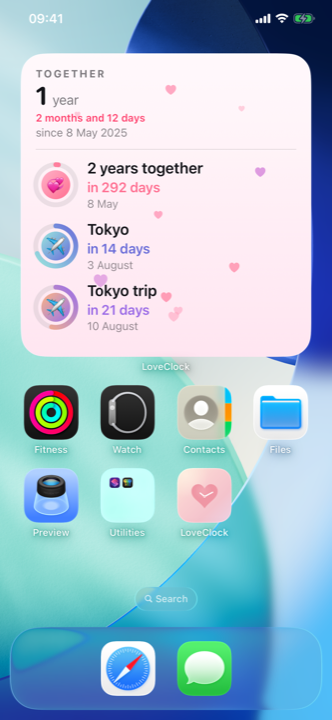
The anniversary widget, free
One good Home Screen widget from day one, plus Lock Screen widgets in circular, rectangular and inline sizes. Tap one and it opens the screen it's about, instead of dropping you on the home tab.
Dashboard, Reunion and Plans widgets Pro
More surfaces for the days you're counting toward something specific.
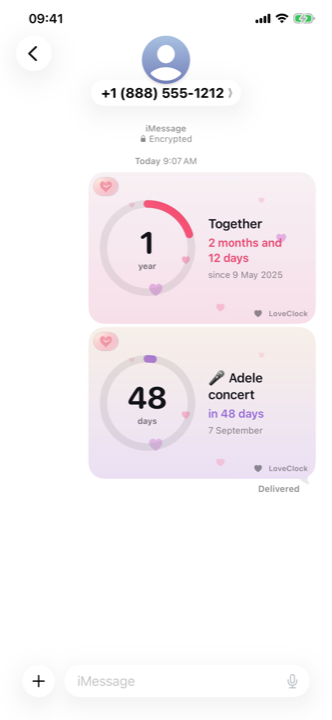
iMessage, without leaving the thread
Countdown cards, animated live cards with hearts floating up them, and a sticker pack. Free.
Year 30 Pearl
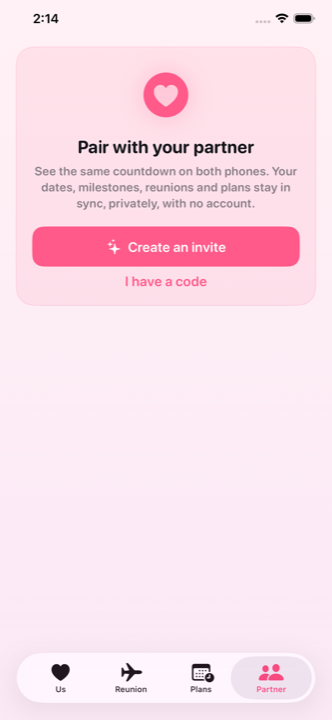
Two phones, one timeline, no accounts.
Pairing is optional. It's also free, and it never asks either of you for an email address.
- Pair by code or by link. The code rides in the link's fragment, so it never reaches a server, not even ours. If you got here from an invite, that's exactly what happened.
- End-to-end encrypted sync of your dates, milestones, reunions and plans. Our server only ever holds ciphertext it can't read.
- Real time. An edit on one phone shows up on the other in under a second while both apps are open.
- Per-item share toggles. You decide what crosses over, one thing at a time.
- One backup switch covers both. Turn on iCloud backup and your pair travels with your keepsakes, so a new phone doesn't mean pairing again.
Year 40 Ruby
The small things you send each other.
No streaks. No quotas. Nothing that punishes you for having a busy week. Receiving any of this is always free.
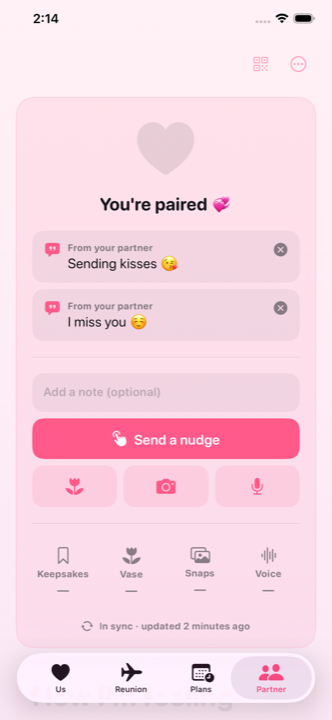
A heart that fills as you nudge each other
Free. It fills, it doesn't reset, and nobody loses anything by not playing. Keepsake notes, the rose flower and a custom LoveClock chime come with it.
Nudges Pro
A heart plus an optional encrypted note. Hearts rain down the screen when it's opened.
Snaps and voice notes Pro
A photo that fades about twenty minutes after they open it. You can send it covered until they tap, mirror the front camera for selfies, and delete it from their phone if you want it gone. Or send fifteen seconds of your voice, with its own waveform, fading the same way after the first play.
Mood, food craving, libido Pro
Matches are celebrated. Libido stays blind, so you only ever learn that you matched, never that you didn't.
Five more flowers, one shared vase Pro
Plus Face ID on the Partner tab, and an outbox that tells you what went out and holds anything that didn't, so you can send it again.
Year 50 Gold
Counting down, not just up.
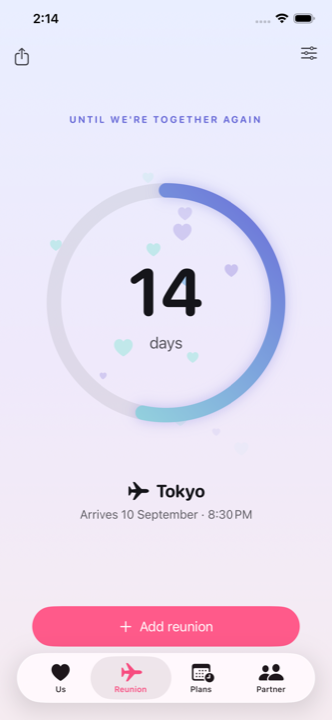
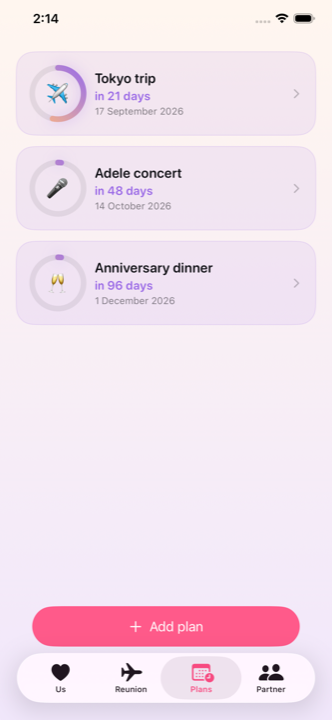
Reunions and plans are the long-distance half of LoveClock, and the clearest thing Pro buys you.
Reunion countdowns Pro
Time-zone aware, so the number is right in both cities. Built for the couples who need it most.
Plans, each with its own emoji Pro
The concert, the flight, the weekend. Synced to your partner, with a widget of their own.
Where the line is
Everything essential
- The together counter, with a tap to cycle days, weeks, months and the full breakdown
- One cumulative timeline; marriage never hides the dating years
- Anniversary milestones named by their traditional material, plus reminders
- The anniversary Home Screen widget and Lock Screen widgets
- Theme worlds that unlock as you reach the milestone
- The static share card
- iMessage countdown cards, animated live cards and the sticker pack
- Pairing by code or link, no accounts, end-to-end encrypted sync in real time
- Per-item share toggles and the Partner tab
- The celebration heart, keepsake notes, the rose and the LoveClock chime
- Our Story: unlimited custom moments, each with its own units, emoji and share card
- iCloud backup, one-tap restore on a new iPhone, and the send outbox
- Receiving snaps, voice notes, nudges, moods and flowers is always free
The delight layer
- Reunion countdowns, time-zone aware
- Plans with custom emoji
- Instant access to all 37 material worlds
- Dashboard, Reunion and Plans widgets
- The 10-second animated video share card
- Nudges: a heart and an optional encrypted note, with hearts raining on open
- Mood sharing: mood, food craving, libido
- Five more animated flowers in a shared vase
- Face ID lock on the Partner tab
- Photo snaps that fade about twenty minutes after opening
- 15-second voice notes that fade after the first play
Year 60 Diamond
42 worlds. Time itself is the reward.
A new world opens at every anniversary: paper, crystal, pearl, ruby, gold, diamond… 42 in all. Every one is a full theme: ring gradient, background and hearts.
You can't buy your way past the calendar, and you don't have to wait for it either. Reach the milestone and the world is yours for free, forever. Pro simply opens all thirty-seven material worlds on the first day, for the impatient.
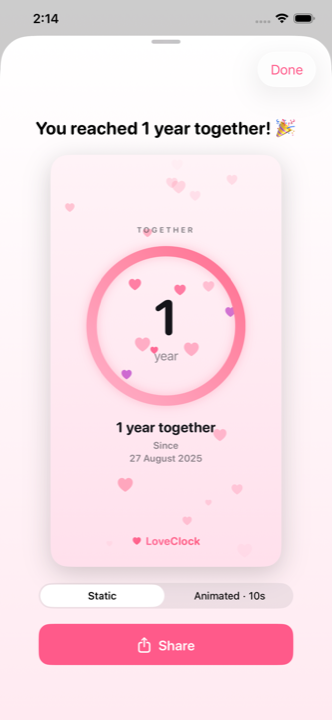
Share any of it as a card: a moment from Our Story, a milestone, today's number. The static card is free; the ten-second animated one is Pro.
Thirty-seven material worlds, plus five that are yours from the day you install.
Year 70 Platinum
Built so that only you two can read it.
Privacy here isn't a setting you go and switch on. It's how the app is put together, and it's some of the best engineering in it.
Start in seconds, no account
Pick your date and you're counting. No email, no password, and no profile to make or lose.
End-to-end encrypted
Everything that syncs is encrypted on your phone before it leaves. What reaches our server is ciphertext we have no way to open.
The code never leaves your phones
An invite link carries the pairing code in the URL fragment, the one part of a link a browser never sends anywhere. It's read on your device and nowhere else.
Yours offline, first
Your phone holds the real copy. On a plane, in a tunnel, with sync switched off, the counter and the widgets keep working exactly the same.
Calm by design
No ads, no analytics profile, and no location tracking, not even the optional-but-nagging kind. Nobody is watching where you are or what you tap.
Your backup, in your own iCloud
Turn backup on and your dates, moments and keepsakes are copied to your iCloud, sealed on your phone first, so only your devices can open them.
Year 4 Linen
Android, soon. We need testers.
LoveClock is an iOS app today. That's the honest answer. An Android build is coming, and a closed test needs real couples on real phones before it can go anywhere near a store listing.
Leave the Google account you'd test with and you'll get an invite when the test opens. That's the only thing we'll ever send you.
One email, when the beta opens. Nothing else.
What's new
Recently, in LoveClock
- Ready for iOS 27.
- Back up to your own iCloud. We don't keep your photos, voice notes or messages on our servers; turn on backup and they're copied to your iCloud instead, encrypted so only your devices can open them.
- Set up a new phone in one tap. A new iPhone offers to bring your dates, moments and keepsakes back the first time you open LoveClock.
- See what you sent. Nudges, flowers, photos and voice notes now tell you they went out, and if one doesn't make it, it waits on the Partner tab so you can send it again.
- Tell your whole story. Add every moment that matters: when you met, got engaged, anything else. Free, and there's no limit.
- Count every moment your way. Tap a moment in Our Story to switch it between days, weeks, months and years.
- Give each moment an emoji, and share a moment as its own card.
- Less clutter over your counter. Smoother hearts and rings.
- Fixes: share cards keep their text readable in dark mode, and the app no longer crashes while reconnecting to your partner in the background.
- Send a voice note. Say it out loud in fifteen seconds; it fades about twenty minutes after they play it, encrypted end to end, and receiving is always free.
- Hear the shape of it. Each voice note arrives with its own waveform and length.
- Keep the ones that matter. Long-press to save it; your partner is told when you keep one.
- Nothing left lying around. A voice note is only ever unscrambled in memory, and its key is erased the moment it fades.
- Cover a snap. Turn on “Cover until tapped” and it opens blurred on your partner's phone.
- The fade waits for you. A snap's twenty minutes start when you open it, not when it arrives.
- Delete a snap on your terms.
- Selfies, your way. Mirror the front camera.
Earlier releases
- Send a snap: a photo that fades about twenty minutes after they open it.
- Keep the good ones. Private, even from us.
- Four more languages.
- A heart that fills as you nudge each other. Keep a note forever. Send a flower.
- Share how you feel. A softer chime.
- Lock the Partner tab behind Face ID. Back your pair up to your own iCloud Keychain.
- Chinese, Japanese and Korean.
- Pair with your partner by code or link. Edits and nudges appear on the other phone in a blink.
- Dates, milestones, reunions and plans stay in sync, end-to-end encrypted. Share only what you want.
- One subscription covers both of you while paired.
- Send a nudge. Count your time your way. A countdown card inside iMessage.
- Lock Screen widget sizes. Countdown cards and stickers in iMessage.
- Plans, each with its own emoji, plus Plans widgets.
- A living day-counter from day one. Home and Lock Screen widgets.
- Reunion countdowns. Light and dark, done right.